Hoot O'Clock
Learn to tell time with Hoot the owl
Kids aged 5–8 learn to read and set the time on an analog clock. A few minutes a day, no ads, works offline too.
 Coming soon to Google Play
Free · No ads · iPhone
- Category
- Education
- For
- Kids 5–8 and parents
- Platforms
- iOS & Android
- Levels
- 5, from o'clock to every minute
- Modes
- Quiz and “Set the clock”
- Languages
- English, Polish
- Price
- Free
- Status
- Available on the App Store · Android coming soon
The clock stops being a puzzle
An analog clock can be a puzzle for a child: which hand is which, where the hour hand sits at half past, and how 8 AM differs from 8 PM. Hoot O'Clock helps kids figure it out in a few minutes a day.
Kids play with a big clock and move its hands with a finger. The hour hand moves smoothly with the minute hand, just like on a real clock. In the “What time is it?” quiz they pick the right answer out of four, and the wrong options mirror the mistakes kids typically make. In “Set the clock” they move the hands to match a given time.
After a short session the app says “Done for today!” instead of keeping kids glued to the screen.
See it in action
Five screens your child will see in the app.


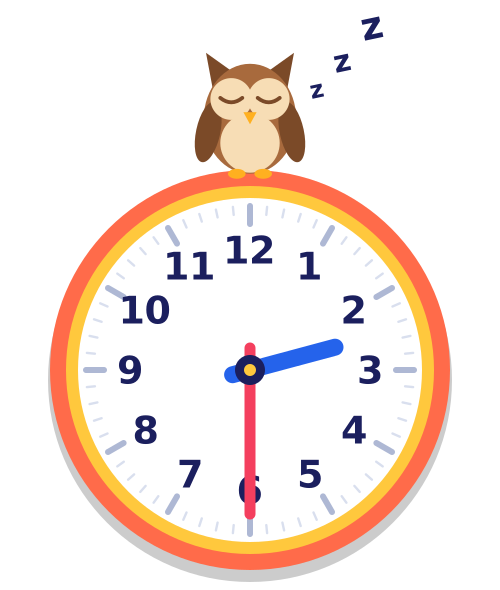
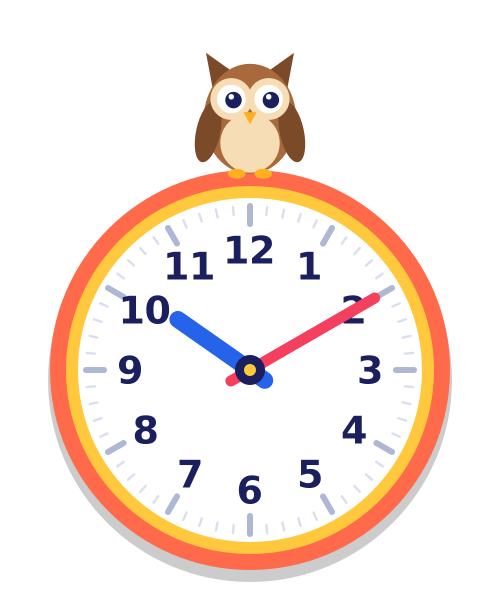
8 AM and 8 PM look exactly the same on a clock
Hoot the owl helps kids see the difference: asleep by day, awake at night.
In the same order kids learn at school
- O'clock
- Half past
- Quarters
- Five-minute steps
- Every minute
For kids and their parents
- A big clock with hands kids move with a finger.
- Hoot the owl shows the time of day: asleep by day, awake at night.
- “What time is it?” quiz and “Set the clock” mode.
- 5 levels in school order, from o'clock to every minute.
- Short sessions that end with “Done for today!”.
- Realistic hands: the hour hand moves smoothly with the minute hand.
- No ads and no tracking tools.
- Works offline, so kids can practice on the go.
Settings and progress in the parent zone
- The parent zone sits behind a simple parent gate: a multiplication question written in words.
- Choose the language (English or Polish) and 12- or 24-hour time.
- Turn on clock face aids: hours 13 to 24 and minutes around the edge.
- See your child's progress: sessions, tasks, correct answers and the last level.
- No sign-up needed to start. Progress is saved on the device.
Get Hoot O'Clock
Free · No ads · iPhone
Coming soon to Google Play
Support
Questions about the app, purchases and bug reports: Hoot O'Clock support or [email protected].
Documents
Terms of Use, Privacy Policy and how to delete your account and data.